
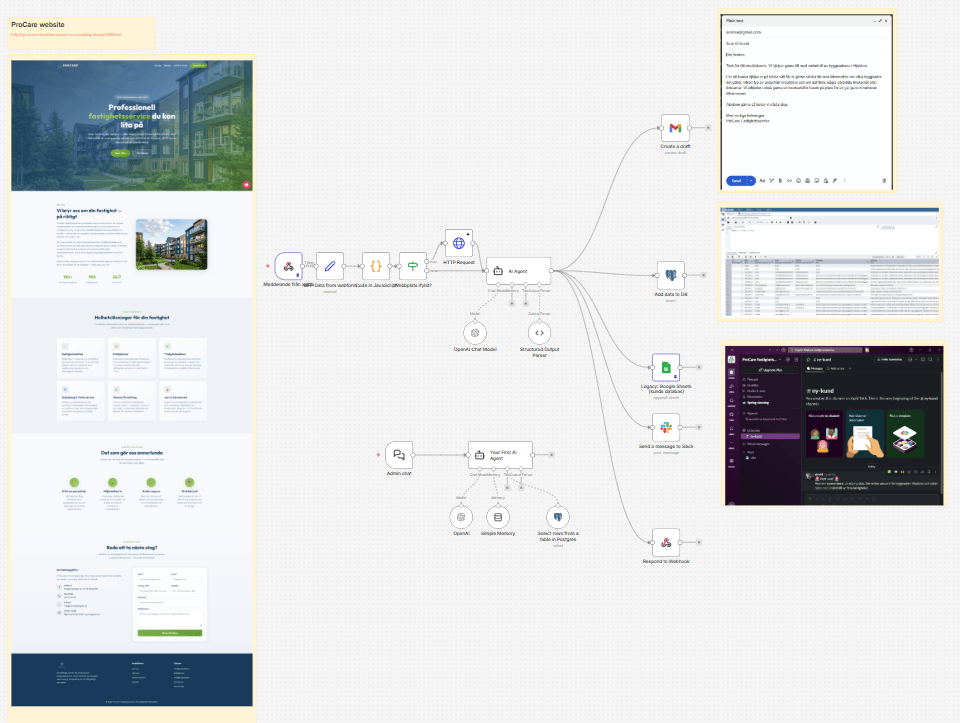
How I Built an Automated Lead Research and Response System Using AI and N8N
This project was created for learning purposes, specifically to gain experience with AI tools and n8n visual automation.
The business problem:
When a new customer reaches out to a business via a contact form, speed and preparation are key. If a sales team can respond within minutes with a full understanding of the customer’s business, they are much more likely to win the account.
To address this I built an automated system that handles this instantly. Using the automation platform n8n, Google’s Antigravity, and few LLM’s the system turns a brief contact form submission into a prepared, customized response in under a minute. And as a added bonus the system offers Conversational Admin Assistant (chatbot) that can answer questions about leads.
The Backstory: ProCare and the Website
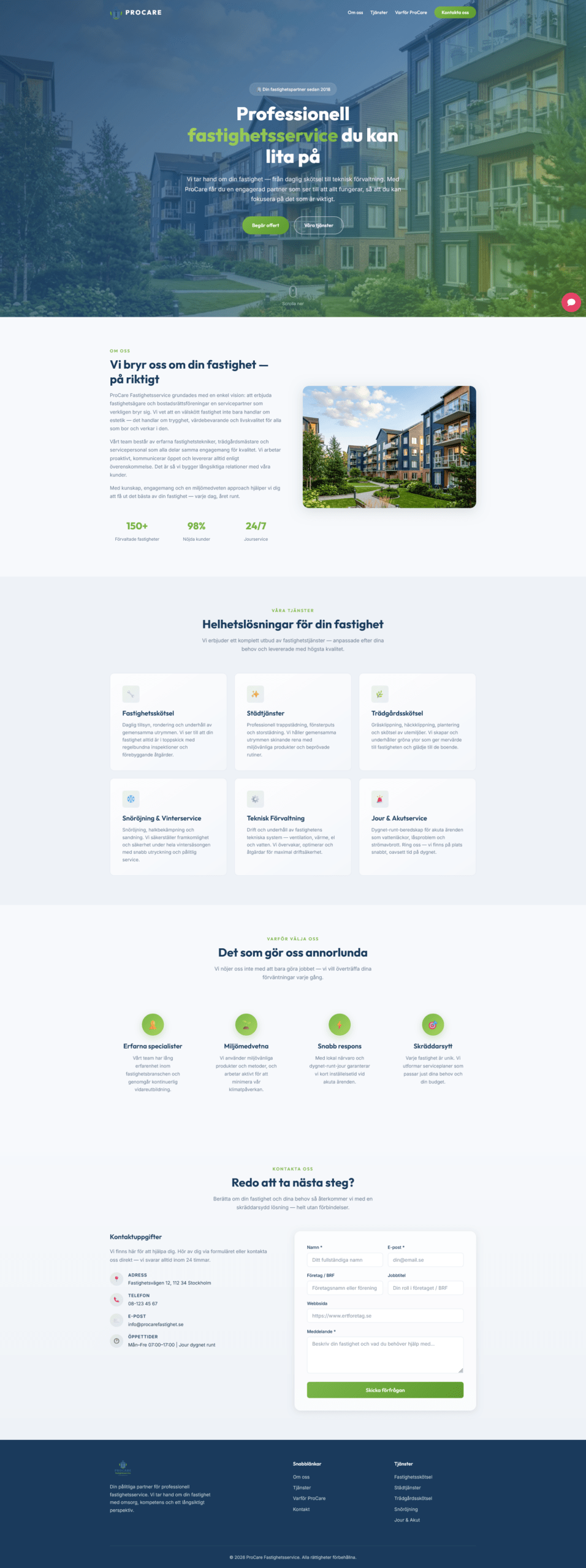 The Idea: I created a mock Swedish property management company called ProCare (handling cleaning, repairs, and gardening). To eliminate the time-consuming process of researching new clients manually, I wanted to automate the lead setup process.
Building the Site with Antigravity
I used Antigravity to help me design the website, build the contact form, and set up a database chatbot for the team.
Here is a breakdown of the core features I built into the system.
The Workflow at a Glance
The entire flow runs automatically in the background. As soon as a user clicks “submit” on the contact form, the system triggers a sequence of connected steps that research the company, notify the team, and draft a response.
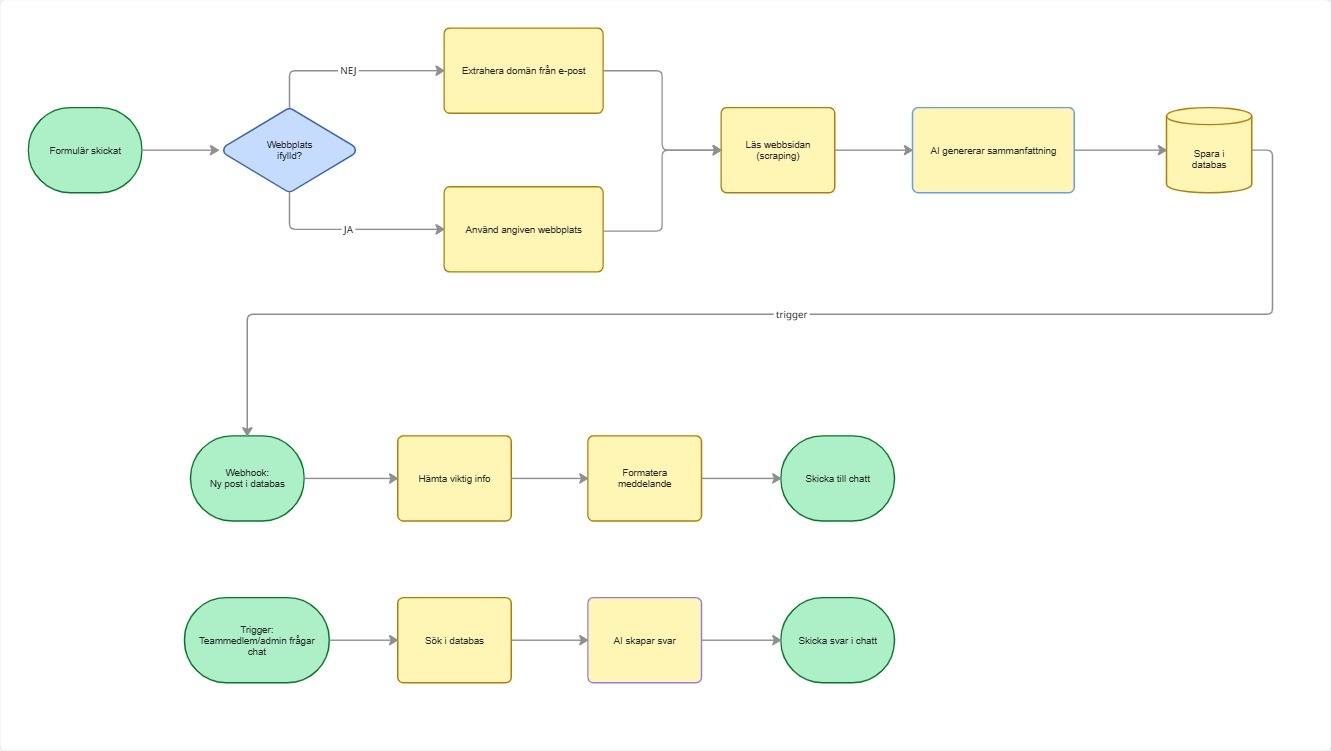
The original idea I had about the flow before i started building
Key Features of the System
1. Smart Website Finder
Customers often skip entering their website address when filling out forms. To solve this, I built a smart website finder. If the website field is left blank, the system automatically extracts the domain name from the customer’s email address (for example, taking company.com from [email protected]). It is also smart enough to ignore generic email providers like Gmail or Yahoo, ensuring the system only tries to look up actual company websites.
2. Automatic Web Reader (Scraper)
Once the system has a valid company website, it visits the homepage in the background and reads the text. This happens in a matter of seconds, grabbing the raw text content so the AI can analyze what the company does.
3. AI-Powered Profiler & Needs Summary
The heart of the system is the AI analysis step. The AI is given the customer’s brief message alongside the text gathered from their website. It performs three key tasks:
- Identifies the Business Type: It determines if the company is an office, a clinic, a factory, a retail store, etc.
- Pinpoints Service Needs: It extracts exactly what services they need (such as cleaning, gardening, snow removal, or general building maintenance).
- Drafts a Response: It writes a tailored response email based on the company’s profile.
4. Real-Time Team Alerts (Slack)
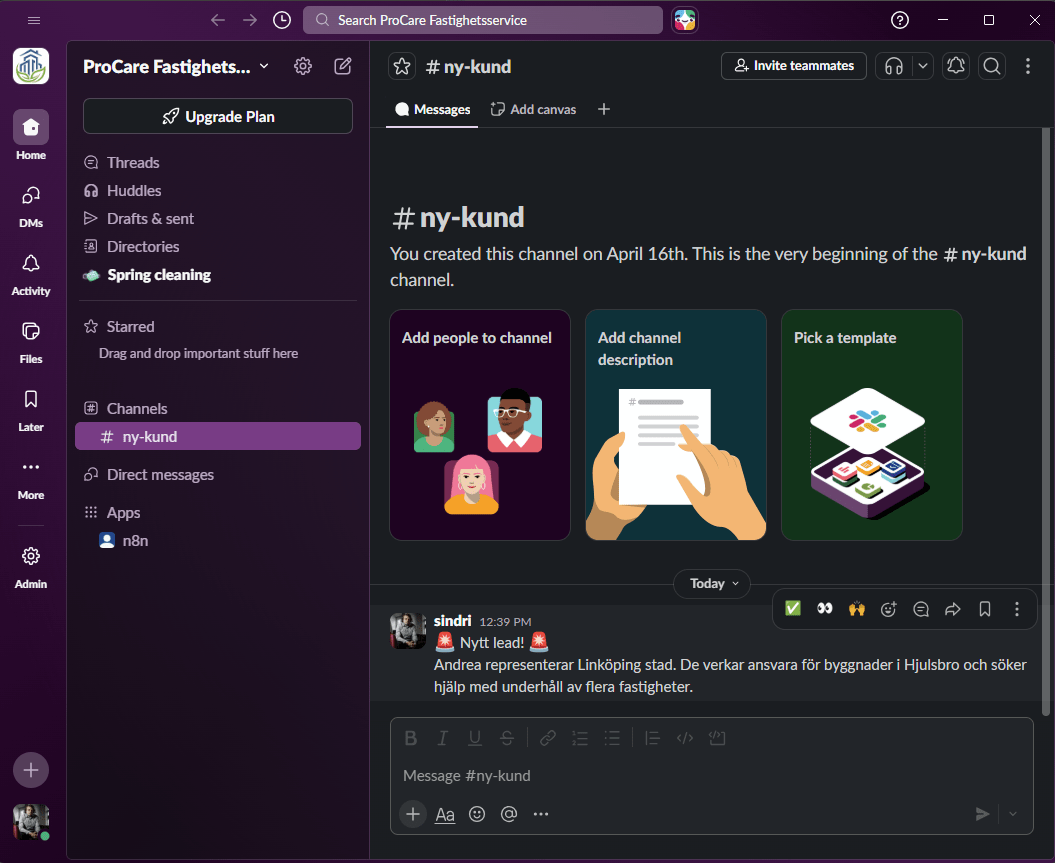
Instead of requiring the sales team to constantly monitor inbox folders or databases, the system pushes an instant notification to a dedicated Slack channel. The message includes an easy-to-read card summarizing who the lead is, what their business does, and what services they require.
5. Automated Email Drafts (Gmail)
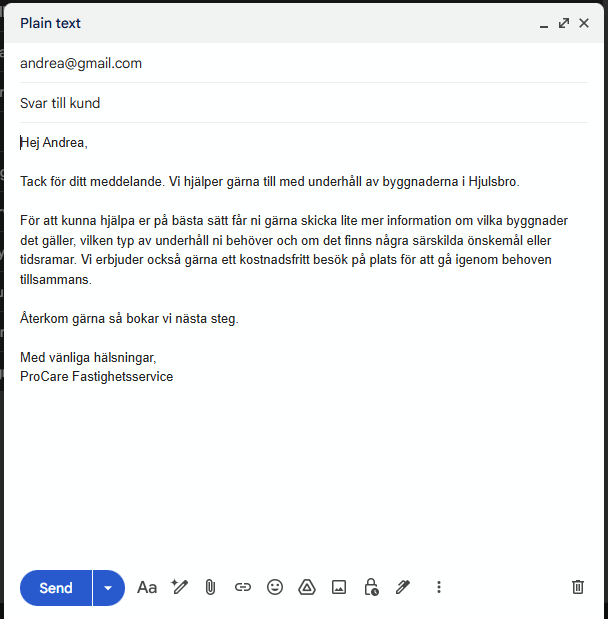
To make responding as easy as possible, the system uses the Gmail integration to create a draft reply inside the sales email account. The draft is already addressed to the customer and contains the personalized response written by the AI. The sales team only needs to open their drafts folder, review the message, and click send.
6. Conversational Admin Assistant (Chatbot)
To help team members find customer history quickly, I embedded an interactive AI chatbot on the admin side of the website. Team members can chat with this assistant using everyday language. For example, a user can ask: “Who was the last customer that asked about gardening?” or “Summarize today’s new contacts.” The chatbot queries the database behind the scenes and answers in plain text.
Built-In Optimizations
To make sure the system operates smoothly in a real-world environment, I included several reliability features:
- Spam & Advertising Filter: The AI classifies each message as a relevant inquiry or spam. If it is spam, the system logs it in the database but skips sending Slack notifications or creating email drafts to avoid cluttering the team’s workspace.
- Offline Website Resilience: If a customer’s website is down or takes too long to load, the system doesn’t crash. It skips the web-reading step and processes the customer’s inquiry using only the information they typed into the form.
- Privacy and Structured Storage: All customer interactions are stored securely in both a PostgreSQL database and a Google Sheets spreadsheet, giving the company a reliable log of history for future analytics.





Leave a Reply
Want to join the discussion?Feel free to contribute!